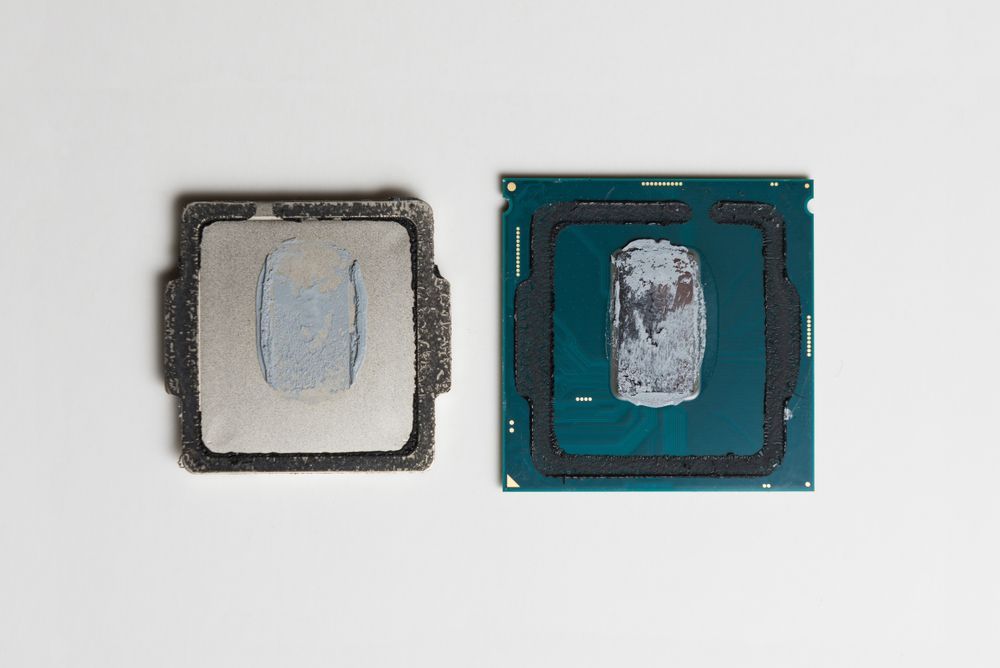
CPU delidding
How it started
In early 2018, after building my first desktop PC, I got interested in overclocking. My i7 7700k was fit for the task, as I picked it (and my motherboard) to be compatible with overclocking when picking out parts for my computer. I overclocked my graphics card quite easily using the manufacturer’s software, but I had to use the BIOS for the processor.
The first CPU overclock went rather poorly, because the processor quickly reached a high temperature. I tried a few more times, but due to poor cooling I could not get a stable result.
The problem was that the 7700K was one of the last processors to still use thermal interface material (TIM) between the CPU die and the integrated heat spreader (IHS - the big metal part of the CPU that is on top of the green PCB). One of the ways to fix this, as I found out, was to disassemble the processor and expose the bare silicon die, replace the inefficient factory thermal paste with something better, and glue it back together.
Preparation
There are some parts you have to acquire first which are not usually very easily found. I used these materials:
- a tool to pry the IHS off of the CPU PCB - I 3D printed a ready made part from Thingiverse
- isopropyl alcohol for cleaning the die
- coffee filters as a lint-free paper towel
- liquid metal as a replacement for the factory TIM - Thermal Grizzly Conductonaut
- high temperature glue for reattaching the IHS back to the PCB - Permatex Ultra Black did the job
- a bracket for holding the CPU after gluing - also from Thingiverse
The process
Delidding sounded like (and is) a pretty risky process that can turn your expensive piece of silicon into a lifeless rock. So to practice the process, I bought a cheap used Pentium processor. As it was very old, cracking the factory seal was actually harder on the Pentium than the i7, and so was the cleaning process. I did not want to waste any expensive liquid metal, so I only practiced the disassembly process.
After taking apart and cleaning both the die and IHS of the 7700K, I added a drop of liquid metal on top of the die and spread it around using the included cotton swabs. Carefully placing a few drops of glue around the perimeter of the CPU and putting it back together, I let it sit in the bracket for a few days while the glue cures.
Results
The results were immediate - an almost 20 degree Celsius drop in temperatures while at idle and a slightly lower, but still amazing performance while at full usage. Unfortunately, my CPU did not win the overclocking lottery and I ended up running it at stock speeds, but with vastly improved temperatures.